

Today, it seems incredibly important to record a Google Meet session in order to guarantee that important discussions are accurately captured and easily reviewed. Learning how to record virtual meetings has become essential for companies, educators, and creative teams alike, as remote collaboration has significantly enhanced workflows across industries.
It is especially simple to start recording by going to the “Activities” menu located at the bottom right of the Meet screen. Almost automatically, everything starts when you choose “Recording,” click “Start recording,” and follow the on-screen confirmation prompts. All participants are alerted as soon as the recording starts, resulting in a very transparent and reliable setting where everyone is aware that the session is being recorded. Users only need to go back to the “Activities” panel, choose “Stop recording,” and let Google Meet’s smooth technology store the video in the “Meet Recordings” folder on the meeting organizer’s Google Drive.
Information Table: Google Meet Recording
| Information | Details |
|---|---|
| Feature Name | Google Meet Recording |
| Availability | Google Workspace Essentials, Business Standard, Plus, Enterprise licenses |
| Location of Saved Files | Host’s Google Drive > Meet Recordings folder |
| Recording Limitations | Only available via computer (not mobile app), requires host permission |
| Official Help Page | Google Meet Recording Support |
Recording a Google Meet session has evolved into a very flexible tool in recent years, changing everything from global conference documentation to lecture delivery. Allowing Chrome permissions for screen and audio capture, which is prompted automatically the first time recording is attempted, is a crucial yet straightforward change that guarantees seamless recording for those joining via macOS Sequoia.
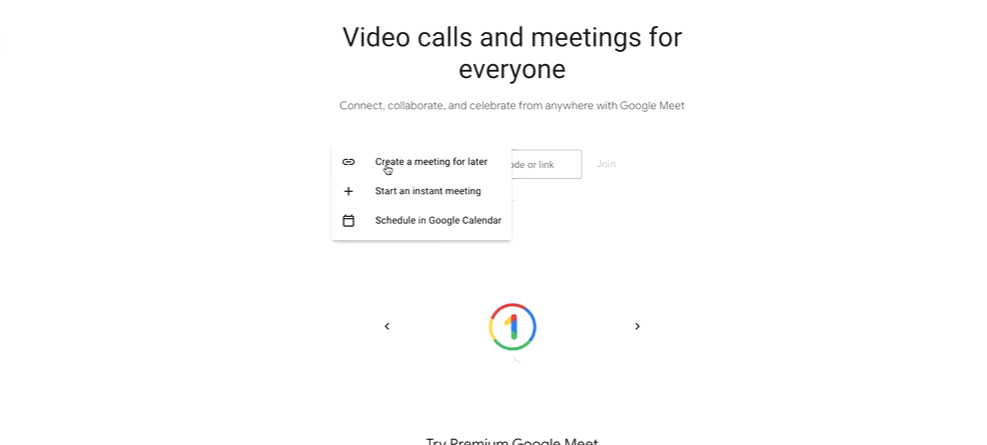
Meeting organizers or those to whom they have expressly granted recording rights are eligible to record. In particular, Google has protected against unauthorized recordings by working together through a well-organized permissions system, effectively fostering user trust. Few other platforms have matched the meticulous design of every new feature layered into Google Meet recording, which strikes a balance between privacy and accessibility.
When turned on, the recording process demonstrates Google’s incredibly robust infrastructure, which can manage anything from brief brainstorming sessions to lengthy executive board meetings without experiencing any technical issues. Following the conclusion of the meeting, recordings are processed and stored, providing users with a highly effective means of retrieving, downloading, and sharing important information later on.
The ability to play back recorded conversations during the pandemic, when the use of virtual meetings increased dramatically, became remarkably similar to having an infinitely replayable notepad—one that could capture tone, context, and subtleties. As evidence of how significantly this feature changed operations, multinational companies like Microsoft and Amazon rely heavily on recorded collaboration to maintain strategic alignment across continents.
Another surprisingly cost-effective benefit is the ability to record meetings using Google Meet. It eliminates the barriers that once separated larger organizations from smaller, more cost-conscious teams and is integrated directly into Workspace accounts without additional subscription fees for standard business plans. Even remote classrooms, startups, and small nonprofits can now afford enterprise-grade meeting capabilities by utilizing Google’s strong ecosystem.
The fact that recording is currently limited to desktop devices is counterbalanced by the much faster and more seamless performance offered by larger operating systems. This functionality is improved by extensions like tl;dv or apps like Riverside.fm, which let users automatically record sessions or create timestamps for significant events. This is a particularly creative step for people in charge of intricate projects or academic lectures.
Recorded meetings carry on the trend of virtual collaboration tools, which have significantly increased accessibility for people with disabilities over the last ten years. Regardless of learning style or language ability, features like captions, AI-generated transcripts, and adjustable playback speed guarantee that meetings are not only reviewed but also completely understood.
Google’s goal of democratizing productivity tools is embodied by the near-zero technical complexity involved in recording a session when permissions are set correctly. Even technophobes will feel empowered by the process’s simplicity, which has significantly increased adoption rates among traditional businesses that were previously hesitant to adopt digital workflows.
Google Meet recordings have been adopted by educational institutions worldwide for a variety of purposes, including remote tutoring and course delivery, in addition to business contexts. While administrators record parent-teacher conferences for policy reviews, teachers pre-record lessons for students in various time zones. Learning opportunities have been extended well beyond the confines of the traditional classroom thanks to the remarkably effective flexibility of recorded video content.
